Front Desk
Guest list, reservations, cabin status and guest accounts. Cabin changes, bulk transfers, and bulk card and invoice printing.
Product
With its desktop, point of sale and mobile programs, AlestaPMS brings the ship's entire operation into one system, from guests to crew and from sales to finance.
Office and reception computers
The ship's main program. Each department works in its own module, and users see only the modules they are authorized for.
Guest list, reservations, cabin status and guest accounts. Cabin changes, bulk transfers, and bulk card and invoice printing.
Members, tiers and benefit rules. Matches returning guests and prints loyalty cards; discounts apply automatically at the point of sale.
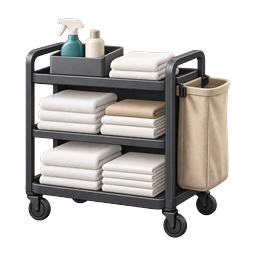
The cabin cleaning cycle: dirty, clean, inspected, ready. Section assignments, work lists and team notifications.

Fault and repair work orders: open, assign, resolve, close. Technicians, departments and tracking with photos.

Training, drills and port duty lists. Live roll call by card scan, muster and lifeboat assignments, drill reports.

Sign-on, sign-off, leave and cabin assignment. Expiry alerts for passports, visas, seaman's books and STCW; Crew List (FAL 5), bulk ID and contract printing.
Voyage management and voyage closing, account audit, company accounts, discount rules, crew payroll, exchange rates.
Main vault ledger, cash desk handovers, float and envelope transactions, cash desk status and audit, cash discrepancies, exchange differences, thermal receipts.
Ship, finance, crew and cabin settings; APIS rules, card printer, date format, license and ship details.

Fast boarding by passport: passport, visa, residence permit card and photo. Works with DESKO scanners, card readers and cameras.
Entry and exit by card scan, movement history, visitor registration and cards. Flags guests with unsettled accounts at disembarkation.

Shore excursion definitions, touchscreen and group sales, prepaid excursions, changes and cancellations, waiting and participant lists, ticket printing.

Departments, storerooms, transfer and movement rules, units, categories, products and suppliers.
Purchase orders, goods receipt, stock status, stock adjustments, stock ledger, returns and offloading; low stock alerts.
Requests and transfers between storerooms: new request, approval, rejection, receipt and history.

Menus, recipes and live costing, sales screen design, pricing by point of sale and happy hour.
Points of sale, terminals, receipt settings, printers and which printer each order goes to.
Beverage, internet, dining and service packages; per-person or per-person-per-day pricing, validity, age limits, sales periods.
Storeroom issues from a touchscreen: kitchen production and department issues, with second-person approval.

Bar, restaurant and shop cash desks
The touchscreen sales program. Sales post instantly to the guest's or crew member's account.
Ship server
They keep the system running, updated and backed up.
Phone and tablet
They run on Android devices over the ship network. Users see only the screens they are authorized for.
Company office
The company's reservation system. The ship server connects every 5 minutes: it sends voyage and cabin data and receives reservations. The responsible person on board checks and approves them on the Central Viewer screen.
Talk to us
Tell us about your ships and we'll show you the right setup.